Action plan
GreenRed gives you a clear action plan of the tasks to tackle. More than 50 checkpoints analysed and recommendations tailored to your site. You know exactly what to do, why, and how — and you tick off completed tasks with a single click. New: a built-in calendar lets you schedule every task and set how often it repeats.
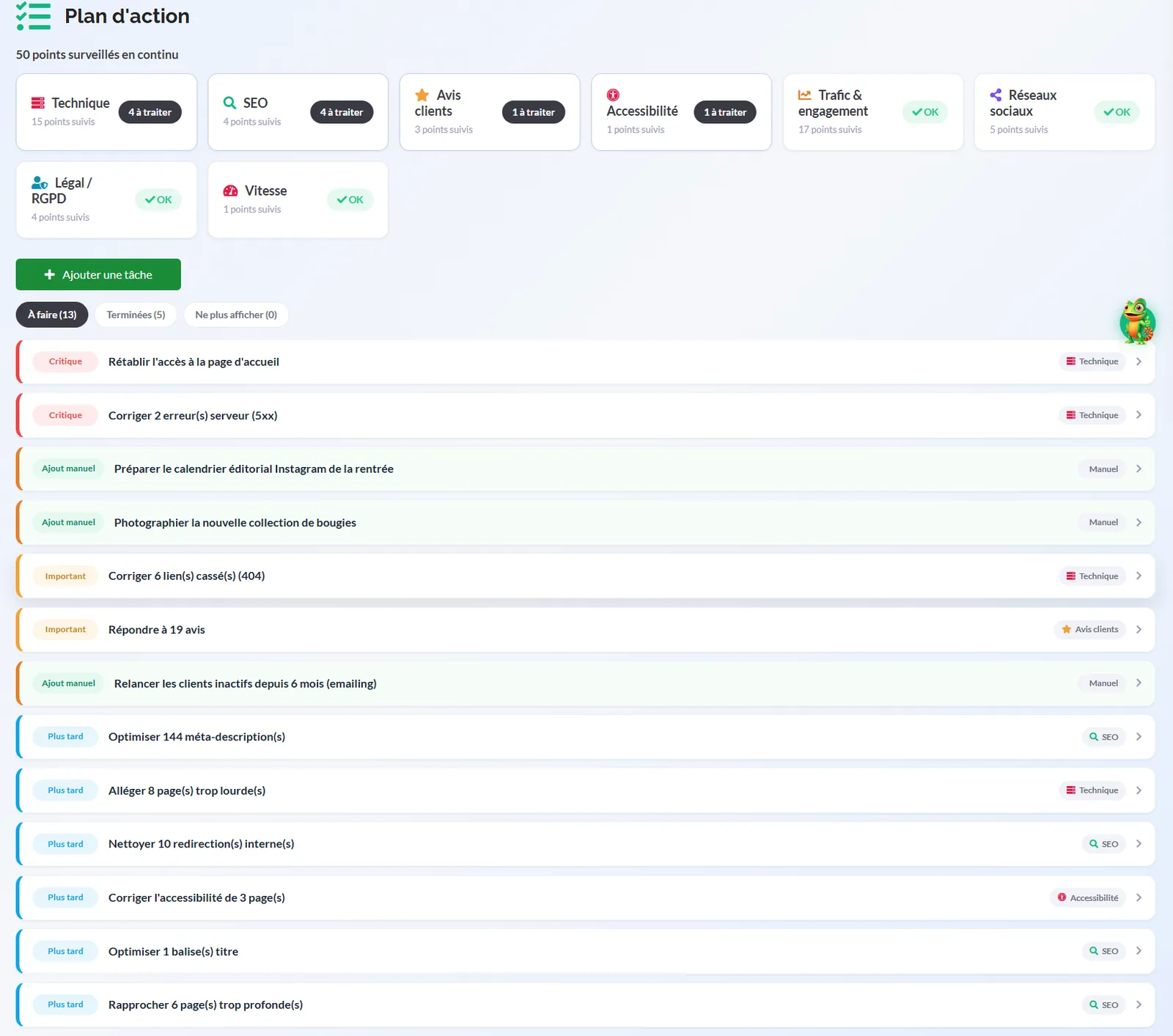
No more indigestible 80-page audits. GreenRed combs through your site across all your channels, then turns the diagnosis into a prioritised list of actions, sorted by category. For each category you see at a glance how many checkpoints are tracked and how many still need attention.
A living action plan, tailored to your site, that you schedule in the calendar and tick off as you go.
📊 Traffic & engagement
17 checkpoints tracked — visitor behaviour, sources, conversions and engagement.
📱 Social media
5 checkpoints tracked — presence, consistency and performance of your posts.
⚖️ Legal / GDPR
4 checkpoints tracked — legal notice, cookies and regulatory compliance.
🚀 SEO
4 checkpoints tracked — keywords, tags and organic search optimisation.
⭐ Customer reviews
3 checkpoints tracked — collecting, managing and replying to your customers' reviews.
🔧 Technical
15 checkpoints tracked — architecture, errors, redirects and indexing.
♿ Accessibility
1 checkpoint tracked — WCAG compliance for every one of your visitors.
⚡ Speed
1 checkpoint tracked — load time and perceived performance.
For every checkpoint: the why and the how
Every recommendation is explained in plain language. Here's a concrete example from the Traffic & engagement :
Set up conversion tracking
Why it's a problem: having traffic but no conversions means either that tracking isn't set up in Analytics, or that visitors never take action. Either way, there's no way to measure the return on your marketing effort.
How to fix it: first check that conversion events are properly defined in GA4 (form, call, purchase…). If they exist but stay at zero, work on your calls to action, the clarity of your offer and how easy you are to contact.
Track what you've completed
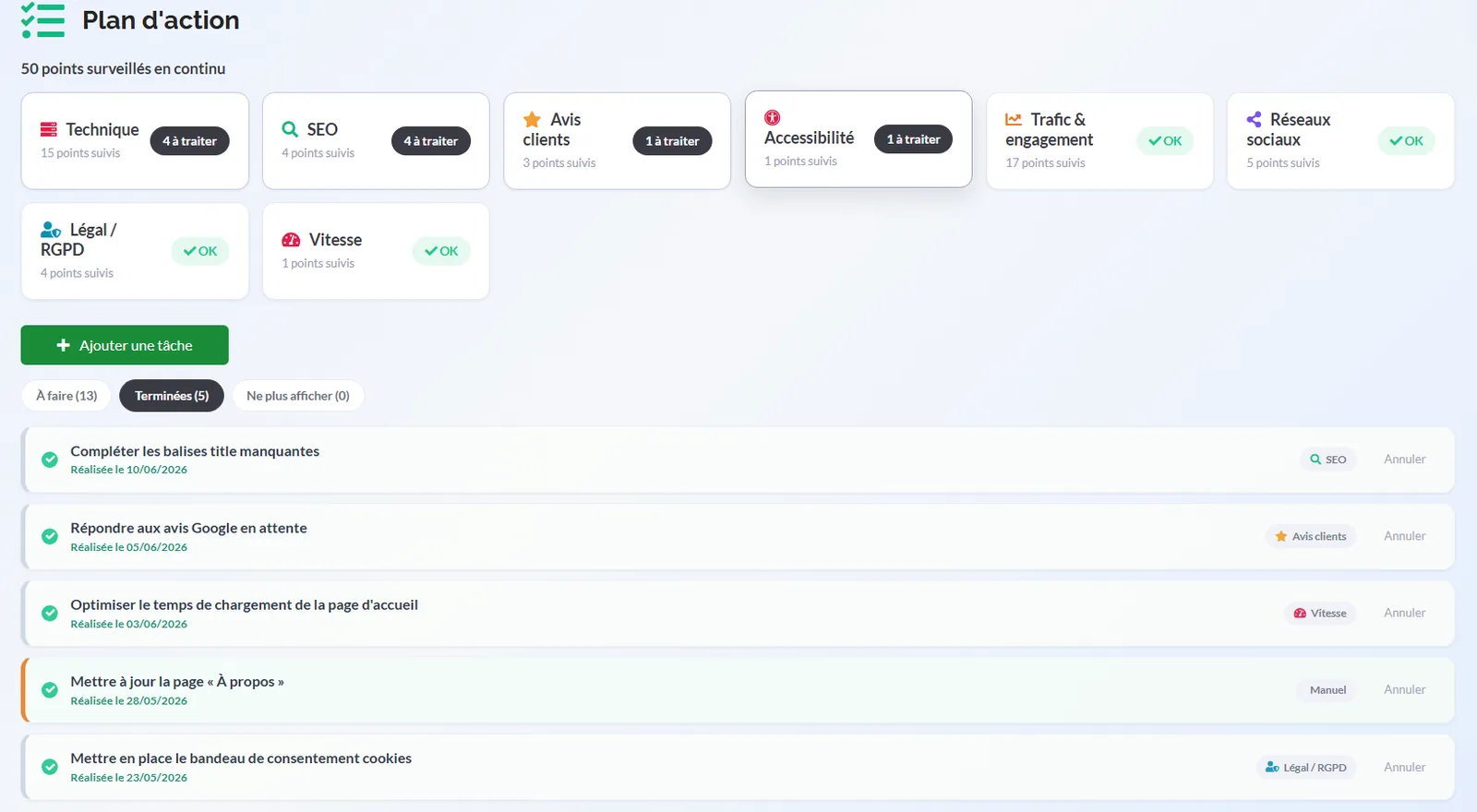
Every checkpoint has a "Done" button: mark tasks as completed and watch your progress over time. Your action plan updates itself as your site improves.
Add your own tasks
Got your own priorities? Add custom tasks to the action plan to keep all your marketing work in one place, alongside GreenRed's 50+ automatic checks.
A calendar to schedule your tasks and their recurrence
Knowing what to do isn't enough: you also need to know when to do it. The action plan now includes a calendar that turns your list of recommendations into a real marketing schedule, week after week.
All your marketing actions in a single view
Posts to schedule, content to write, Google Ads budgets to check, customer reviews to handle, a technical audit to rerun: every task lands in the calendar on the date you choose. At a glance you can see the workload for the week or the month, what's coming up and what has slipped.
A simple drag and drop is all it takes to move a task. Your priorities shift, your schedule follows.
Recurrence: set it once, run it all year
Digital marketing rewards consistency. Rather than recreating the same tasks every month, set their recurrence — daily, weekly, monthly, quarterly or yearly — and let GreenRed drop them back into your calendar automatically each time they come round.
A few useful recurring tasks
Every week: publish a post on your social media, check the keywords that are slipping, reply to new Google reviews.
Every month: publish a blog article, review the budget and performance of your Google Ads campaigns, take stock of your conversions.
Every quarter: rerun a full technical audit, update your strategic pages, check your legal and GDPR compliance.
Need to skip an occurrence or push it back? You can change a single occurrence without touching the series, or update the whole recurrence in one go.
Reminders at the right moment
The day's deadlines show up in your notifications and in your summary email: you no longer have to remember to check your action plan — it comes to you. A finished task is ticked off in one click and feeds into your progress tracking.
Dictate your schedule to the AI Assistant
You can also let the AI Assistant keep your calendar for you, by text or by voice: "schedule an Instagram post every Tuesday", "push the technical audit back to next week", "what do I have to do this week?". It creates, moves and finds your tasks — you approve, it executes.
GreenRed turns a complex audit into a simple roadmap: prioritised, scheduled and ready to act on.